What players say
Baby Taylor Cotton Candy Store delivers a charming simulation for young children. The game teaches basic order-taking and machine operation through clear visual steps. Unlocking new flavors adds replay value without overwhelming the player. The friendly atmosphere and lack of time pressure make it ideal for preschoolers learning to follow directions. Parents will appreciate the safe, ad-free environment and the focus on positive social interactions.
About this game
Game Introduction
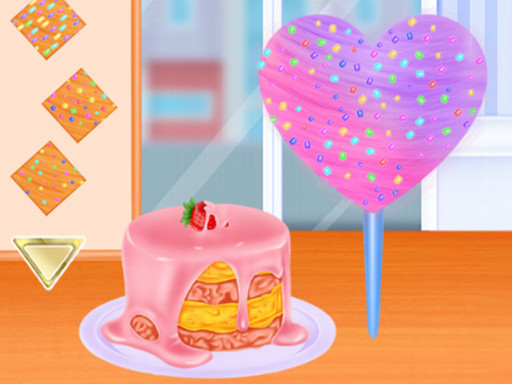
Baby Taylor Cotton Candy Store Online Simulation Game invites young players into a cheerful candy shop where they assist Taylor in serving her friends. Each customer requests a specific flavor and style of cotton candy. Players learn to listen carefully, select the right ingredients, and operate the spinning machine. The game presents a gentle introduction to running a small business through playful interaction. Bright visuals and friendly characters keep children engaged while they practice memory and sequencing skills. There is no time limit, so kids can work at their own pace and enjoy the creative process of making sweet treats.
How to Play
To play, start by reading or listening to the customer order. Use the mouse or tap to choose the correct flavor and sugar color. Follow the on-screen prompts to spin the cotton candy onto a stick. Add any requested toppings or decorations. Finally, serve the finished product to the waiting customer. Each correct order earns points and unlocks new flavors and decorations. The simple steps and visual guides make it easy for young children to play independently.
Game Features
Game features include: Fun role-play that lets kids pretend to run a shop. Colorful graphics that appeal to young eyes. Simple point-and-click controls suitable for beginners. Creative candy-making with multiple flavors and toppings. No time pressure or fail states, ensuring a stress-free experience. New content unlocks gradually to maintain interest.
Tips for Success
Listen carefully to each customer's order to select the correct flavor and color. Pay attention to any special requests for toppings or decorations. Take your time—there is no rush, so focus on accuracy. Practice makes perfect; the more orders you complete, the more new items you will unlock. Enjoy the creative process and have fun making each treat unique.