What players say
Princess Tattoo Artist offers a gentle, engaging experience for children. The game allows repeated play with different tattoo designs and color combinations, encouraging creativity and fine motor skills. Its family-friendly content and easy interface make it a reliable choice for parents seeking safe online entertainment. The artwork is charming, and the lack of timers or scores keeps the activity stress-free and purely artistic.
About this game
Game Introduction
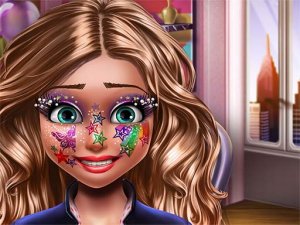
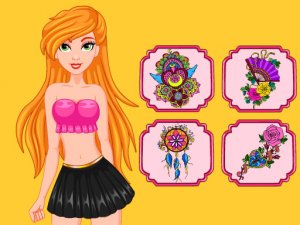
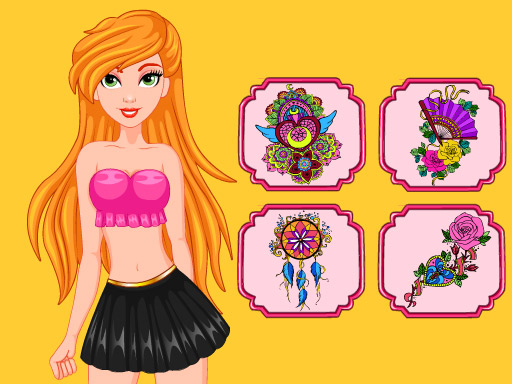
Princess Tattoo Artist Coloring invites young players into a royal world of creativity. In this game, children help a princess choose from a variety of gentle tattoo designs, such as flowers, stars, and hearts. Once a design is selected, players use a colorful palette to bring the tattoo to life, experimenting with shades and combinations. The game fosters artistic expression in a completely safe, family-friendly environment, with no inappropriate content. It is ideal for kids who love princesses, drawing, and coloring, offering a relaxing and imaginative experience.
How to Play
How to play is simple and intuitive. Start by browsing the available tattoo designs and pick one that matches the princess's style. After selecting a design, use the coloring tools to fill it in with your favorite colors. You can try different color combinations and shades to make the tattoo unique. The game responds to simple clicks and taps, making it easy for children to control. Once finished, you can view your artwork and choose to start over to explore new designs and color schemes.
Game Features
Game features include creative coloring with a wide palette, a charming princess theme, and easy controls suitable for young children. The game encourages artistic exploration without pressure, allowing kids to express themselves freely. Each session offers a new opportunity to experiment with colors and designs, promoting fine motor skills and color recognition in a fun way.
Tips for Success
To get the most out of Princess Tattoo Artist Coloring, try experimenting with different color combinations to see what looks best. Encourage children to take their time and enjoy the process rather than rushing. Repeating the activity with new designs helps build confidence and color awareness. Since the game is stress-free, focus on having fun and expressing creativity without worrying about mistakes.